
Modifier Handling for Restaurants: Why "Add Bacon" Should Automatically Update Your Food Cost

Updated: Sep 11
The modifier blind spot most restaurants don't know they have
Every restaurant runs on modifiers. Add bacon, extra cheese, substitute fries, hold the onion. Your POS tracks them for the ticket. But when it comes to food cost, most systems pretend modifiers don't exist. The dish costs what the base recipe says - regardless of what the customer actually ordered. Over hundreds of tickets a day, that gap adds up fast.
What happens when modifiers aren't tracked
Say your burger has a food cost of $4.20. A customer adds bacon - that's another $0.65 in ingredients. But if your system only sees "1x Burger sold," it deducts the base recipe and nothing else. The bacon comes out of your walk-in but never shows up in your food cost. Multiply that across every modifier on every ticket, and you're looking at a meaningful chunk of untracked inventory and understated food cost every week.
Why POS data alone doesn't solve it
Your POS knows the modifier was ordered. It's right there on the ticket. But the POS doesn't connect that modifier to an ingredient in your inventory. It doesn't know that "Add bacon" means deduct 2 oz of bacon from the walk-in cooler. That translation - from POS modifier to inventory ingredient - is the missing link.
Your food cost is only accurate if modifiers are in it
A food cost number that ignores modifiers is a food cost number you can't trust. Every add-on, substitution, and upcharge changes what actually came out of your kitchen. Tracking modifiers isn't a nice-to-have - it's the difference between knowing your real margins and guessing at them.
How Cactus handles modifier tracking automatically
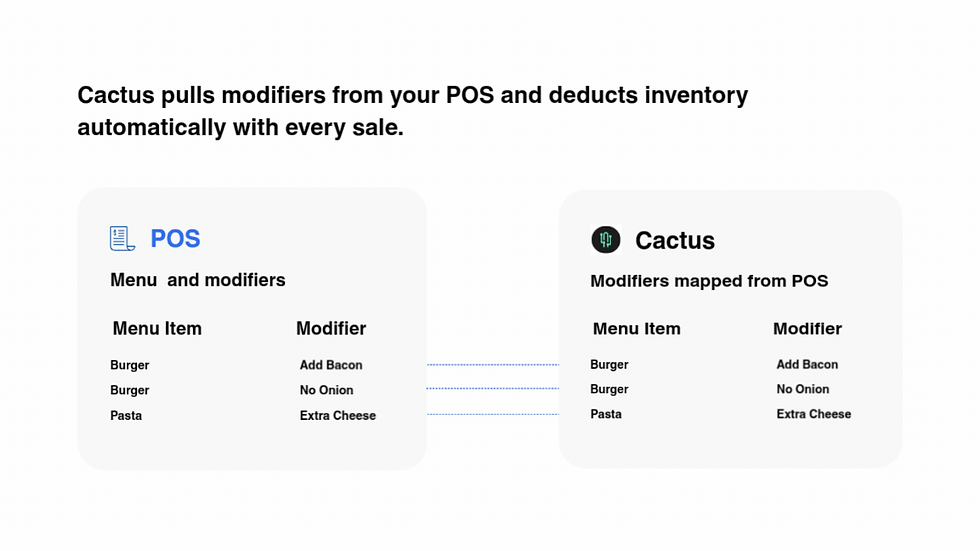
Cactus syncs your modifier mappings directly from your POS at regular intervals. When a bill comes through with "Add bacon" on it, Cactus already knows what that modifier means in terms of ingredients and quantities. It deducts the right amount from inventory and adds the cost to that dish automatically. If your POS menu changes - new modifiers, updated names, removed options - the sync catches it without you doing anything.
See Cactus in action for your restaurant!
Learn more by booking a demo or see our pricing to get started!
DISCLAIMER: This information is provided for general informational purposes only, and publication does not constitute an endorsement. Cactus does not warrant the accuracy or completeness of any information, text, graphics, links, or other items contained within this content. Cactus does not guarantee you will achieve any specific results if you follow any advice herein. It may be advisable for you to consult with a professional such as a lawyer, accountant, or business advisor for advice specific to your situation.


